














Spinmama Casino Login: Quick Guide for Error-Free Access
Login to Spinmama Casino: logging into your account correctly prevents blocks, withdrawal delays, and wasted time. Here's a compact guide: access steps, password recovery, and security habits. If you follow these steps once at Spinmama Casino, your sessions will be simpler and more predictable, especially when switching between mobile and desktop browsers.
Logging into Your Account: Quick Steps
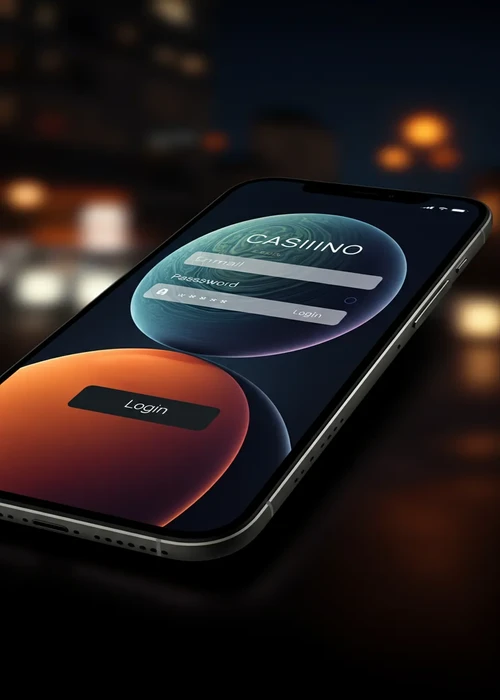
Open the login page, enter your registered email and password carefully, then confirm. If you're using a shared device, don't save your credentials and log out when you're finished. After logging in, check your balance, history, and cashier section before playing to avoid deposit errors. At Spinmama, it's also a good idea to check for any active bonuses, as an ongoing bonus can change limits and requirements.
To make your login predictable, always use the same pattern: first, check that you're on the correct site, then log in, and only after that should you think about depositing or playing. If you have multiple email addresses, decide which one is your 'casino email' and don't mix it with others. A minute of organisation at the start can save you half an hour of support later.
Password Recovery and Unlocking Your Account
If you fail multiple attempts, stop and use the 'forgot my password' option to reset it with a temporary link. Create a long, unique password that's different from your social media passwords to reduce risks. If access remains blocked, wait a while and contact support with your basic account details. Avoid repeating attempts in a loop: at Spinmama Casino, this usually prolongs the block and makes you lose control of your session.
When you reset your password, make a note of the change date in a secure place and check if your browser is saving old passwords. Many blocks occur because autofill enters an old password without you noticing. If you switch mobile devices, repeat the process in an organised manner and log out of open sessions on devices you no longer use.
Most Common Access Issues
| Problem | Symptom | Typical Cause | Action | Time |
|---|---|---|---|---|
| Incorrect Password | Login error | Typo or Caps Lock | Show password and re-enter | 2 min |
| Account Blocked | Access denied | Too many attempts | Wait and reset | 30 min |
| Cache Issue | Strange display | Old data | Clear cache and cookies | 5 min |
| Email Address | Not recognised | Wrong email | Try registered email | 3 min |
| Email Link | Link not received | Spam or filter | Check spam and resend | 10 min |
Access Security at Spinmama
Your account is the gateway to your funds, which is why security relies on simple and consistent routines. Avoid logging in from suspicious links and save the official URL in your bookmarks. Activate limits and review activity if you detect unusual movements before making a withdrawal. For cybersecurity tips in Australia, you can check the guides from the Australian Cyber Security Centre.
Security Checklist
- URL: only log in from your saved bookmarks
- Password: use 12+ characters with a secure mix
- Device: avoid public or shared PCs
- Session: always log out when finished
- Alerts: review activity if you change mobile devices
Mobile Login: No App, No Friction
On mobile, log in via your browser using the same details as on desktop, with the interface adapted for smaller screens. If your network is unstable, avoid cashier operations during connection changes. A useful habit is to log in, check your balance, and then log out if you're not going to play immediately. If you're playing at Spinmama on the go, set a duration (e.g., 20 minutes) so you don't unknowingly turn a quick login into a long session.
On small screens, it's easy to accidentally tap buttons. Before confirming any step, re-read the summary and check amounts, method, and currency. If you're in a hurry, it's best not to touch the cashier: log in, check your status, and log out. This habit reduces deposit errors and keeps you on track.
If your mobile is shared at home, activate fingerprint or PIN lock and disable automatic password saving. It's also a good idea to close the browser when you're finished to prevent the session from remaining open in the background. These are small details, but they make a big difference when you're managing real money.
Login Habits to Prevent Blocks
Most blocks don't come from 'site failures' but from patterns: too many consecutive attempts, incorrect autofill, or sudden device changes. If you apply a fixed routine (a single email, a password manager, and logging out), you'll reduce errors and maintain stable access. This is the key SEO point: solving the user's problem in a few steps, without friction or rushing, today.
Common Errors and Support
The most common issues are incorrect email, Caps Lock being on, browser cache problems, and blocks due to repeated attempts. The solution is usually simple: clear your cache, reset your password, and try again calmly. If you need help, provide the time of your last successful login and the payment method you recently used. At Spinmama, it also helps to note the device and browser from which the problem occurred.
If the recovery link doesn't arrive, check your spam folder and wait a few minutes before resending. If it does arrive, use it on the same device where you usually play to reduce extra verifications. And if you notice any movements you don't recognise, change your password and pause any withdrawals until you confirm that access is solely yours.
To avoid repeated incidents, create a 'closing' routine at the end of each session: log out of your account, close tabs, and clear autofill if you share the device. If you play at home, simply logging out is enough; if you play away from home, it's advisable not to save data in your browser. This habit reduces both risks and blocks due to unusual activity.
Best Practices for Login
- Check history before playing: log in, check your balance and recent activity to detect any unusual activity before depositing or opening a game
- Use a password manager: tools like Bitwarden or 1Password generate secure passwords of 16+ characters and fill them in without typing errors
- Pause after 3–4 failed attempts: persisting activates temporary blocks that can be extended if you keep trying; it's better to wait and reset your password
- Describe the error in detail: if you contact support, state your last successful login, device, browser, and payment method to speed up the solution
- Set limits after logging in: before playing, review or adjust your deposit and loss limits to maintain control during the session
Conclusion: Secure Access to
This Spinmama Casino login guide has provided you with the steps to log in without errors, recover your password if you forget it, and keep your account secure with simple habits. Key points include: always using the official URL saved in your bookmarks, creating a unique password of 12+ characters, not persisting after several failed attempts, and logging out when finished, especially on shared devices. If you don't have an account yet, first complete registration from the registration page with your correct details and the VIPMAMA code to activate the welcome bonus. Once registered, return here and follow these steps for predictable and friction-free access in every session.
FAQs
Go to the login page, enter your email and password, then confirm. Afterwards, check your balance and history before playing or depositing.
Use the recovery option, request the link via email, and create a new, strong password different from those you use for other services.
For security, multiple failed attempts can trigger a temporary lockout. It's best to wait and reset your password before trying again.
Only on private devices under your control. On shared computers, it's better to use a password manager or enter it manually.
Yes, you can log in from your mobile browser with the same credentials and use the platform without installing a native app.